
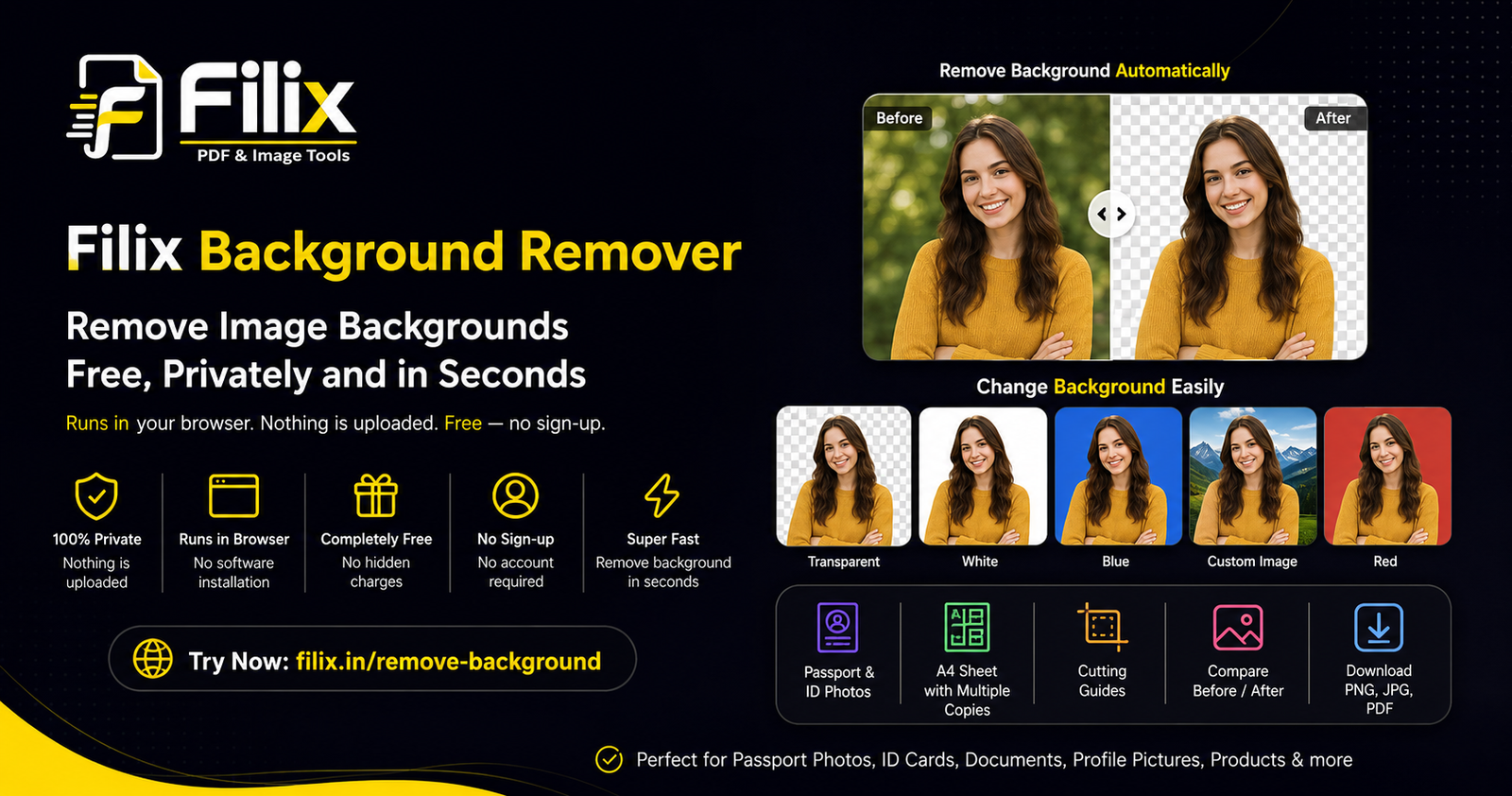
Removing the background from a photo used to mean opening professional editing software, learning complicated tools, or uploading your personal images to an online service. Filix Background Remover makes the process much simpler.
Filix is a free, browser-based background removal application designed for people who want to quickly remove the background from photos without installing software or creating an account. The biggest advantage is privacy: the application processes your image directly in your browser, so your photos are not uploaded to a server.
Try Filix Background Remover and remove the background from your image directly in your browser.
What Can Filix Background Remover Do?
Filix is more than a simple background removal tool. It combines background removal, background replacement, passport and ID photo preparation, and print-ready sheet creation in one straightforward application.
1. Automatically Remove Image Backgrounds
Upload a JPG, PNG, or WebP image and Filix automatically separates the main subject from the background. The tool is designed to produce clean edges, including around difficult areas such as hair.
This is useful for product photos, profile pictures, ID photos, documents, online listings, social media graphics, presentations, and many other everyday tasks.
2. Keep a Transparent Background
You do not always need to replace the background with another image. Filix can leave the background transparent, allowing you to download the result as a PNG and use it on websites, posters, presentations, advertisements, documents, or other designs.
3. Change the Background Colour
After removing the original background, you can choose a new solid background colour. White, blue, red, and other background options can be used depending on your requirement.
This is particularly useful when preparing photographs for applications, identification documents, professional profiles, or printing.
4. Add Your Own Background Image
Filix also allows you to use your own background image. This means you can remove the original background and place the subject into a completely different environment or design.
For example, a product photograph can be placed on a clean promotional background, while a personal photograph can be prepared for a professional design.
5. Compare the Original and Edited Image
Before downloading your result, you can compare the original photograph with the background-removed version. Filix provides both a side-by-side comparison and a comparison slider, making it easier to check the result before saving it.
6. Create Passport and ID Photos
One of the most useful features of Filix is that the same application can also prepare passport and ID-size photographs.
The application provides several predefined sizes, including 2 × 2 inches, 1.38 × 1.77 inches, 2 × 2.75 inches, and 3.5 × 4.5 cm. The output is prepared at 300 DPI for print-ready results.
7. Create a Print-Ready A4 Photo Sheet
If you need several copies of the same passport or ID photograph, you do not have to manually arrange them in another application.
Filix can arrange multiple copies on an A4 sheet. You can select the quantity and add cutting guides to make the printed sheet easier to cut.
The A4 sheet can be downloaded as a high-resolution PDF or JPG and printed at 100% scale.
Why Filix Is Different From Many Online Background Removers
Your Photo Stays on Your Device
Privacy is one of the strongest reasons to use Filix. According to the application, processing takes place directly in your browser and your photos are not uploaded to an external server.
This is especially important when working with personal photographs, identification documents, application photos, or other images that you would rather not upload to an online service.
No Sign-Up Required
You do not need to create an account just to remove a background. Open the application, select your image, process it, and download the result.
Completely Free
Filix provides the Background Remover as a free tool. There is no need to purchase professional photo-editing software for simple background removal and passport-photo preparation.
No Software Installation
Because Filix runs in the browser, you do not need to install Photoshop or another desktop image editor for these tasks. It can be accessed from a modern web browser and used whenever you need it.
More Than Just Background Removal
A major advantage is the combination of several practical features in one workflow. You can remove the background, select a new background, choose a passport or ID size, arrange multiple copies on an A4 page, and download the finished result.
How to Use Filix Background Remover
The application is designed to be simple enough for beginners. You do not need professional photo-editing experience.
- Open Filix Background Remover: Visit Filix Background Remover.
- Upload your image: Drag and drop a photo into the application, browse for a file, or paste an image from your clipboard. JPG, PNG, and WebP files are supported.
- Let Filix remove the background: The application automatically processes the photograph and separates the subject from the background.
- Choose your background: Keep it transparent, select a solid colour, or add your own background image.
- Check the result: Use the side-by-side view or comparison slider to check the original and edited image.
- Select a photo size if required: Choose a suitable passport or ID photo size when preparing official-style photographs.
- Create an A4 sheet: Select the number of copies and add cutting guides if you want to print several photographs on one sheet.
- Download: Download an individual image as PNG or export the complete A4 sheet as PDF or JPG.
Who Can Use Filix Background Remover?
Filix is useful for almost anyone who occasionally needs to edit photographs. Students can use it for project work and applications. Job seekers can prepare professional photographs. Small businesses can clean up product images. Shop owners can prepare photographs for online listings. Offices can create ID-style photographs. Photographers can use it for quick background removal and passport-photo preparation.
It is also useful for anyone who simply needs to remove a background from a personal image without learning complicated photo-editing software.
Useful for Passport and Application Photos
Preparing a passport-style photograph often involves more than simply removing the background. The photograph may need a particular background colour, exact dimensions, multiple copies, and a print-ready layout.
Filix brings these tasks together. After removing the background, you can select the required photo size and create multiple copies on an A4 sheet at 300 DPI.
Always check the specific photo requirements of the government department, embassy, school, employer, examination authority, or other organisation you are submitting the photograph to, because requirements can vary.
Is Filix One of the Best Online Background Removal Options?
There are many background-removal services available online, so calling any one tool universally “the best” depends on what the user needs. However, Filix has a particularly strong combination of features for people who value privacy, simplicity, speed, and practical output options.
Instead of focusing only on removing a background, Filix provides an end-to-end workflow: remove the background, change it, compare the result, select a passport or ID size, create an A4 print sheet, and download the finished file.
Most importantly, Filix is designed around a privacy-first approach. The application runs in the browser and does not upload your photos to a server. Combined with free access and no sign-up, this makes it a compelling choice for everyday image editing.
Why Choose Filix?
- Browser-based: No desktop software installation is required.
- Privacy-first: Your images are processed locally in your browser.
- No upload: Photos are not uploaded to an external server for processing.
- Free: You can use the background remover without paying for the basic tool.
- No sign-up: There is no account-creation process before using the application.
- Automatic background removal: Quickly separate the main subject from the original background.
- Background replacement: Use transparency, a solid colour, or your own background image.
- Passport and ID sizes: Prepare photographs using predefined dimensions.
- 300 DPI output: Create print-ready passport and ID photo layouts.
- A4 printing: Arrange multiple copies on one printable sheet.
- Multiple download options: Save individual images as PNG or A4 sheets as PDF or JPG.
Final Thoughts
A good background remover should not make a simple job complicated. You should be able to select a photograph, remove the unwanted background, make any necessary adjustments, and save the finished image without installing software or creating an account.
That is where Filix stands out. It combines automatic background removal with background replacement, passport and ID photo sizing, A4 sheet creation, print-ready output, and a privacy-first browser-based workflow.
If you need a simple, free, and privacy-focused way to remove image backgrounds, try Filix Background Remover and see how quickly you can prepare your image.
Runs in your browser. Nothing is uploaded. Free — no sign-up.